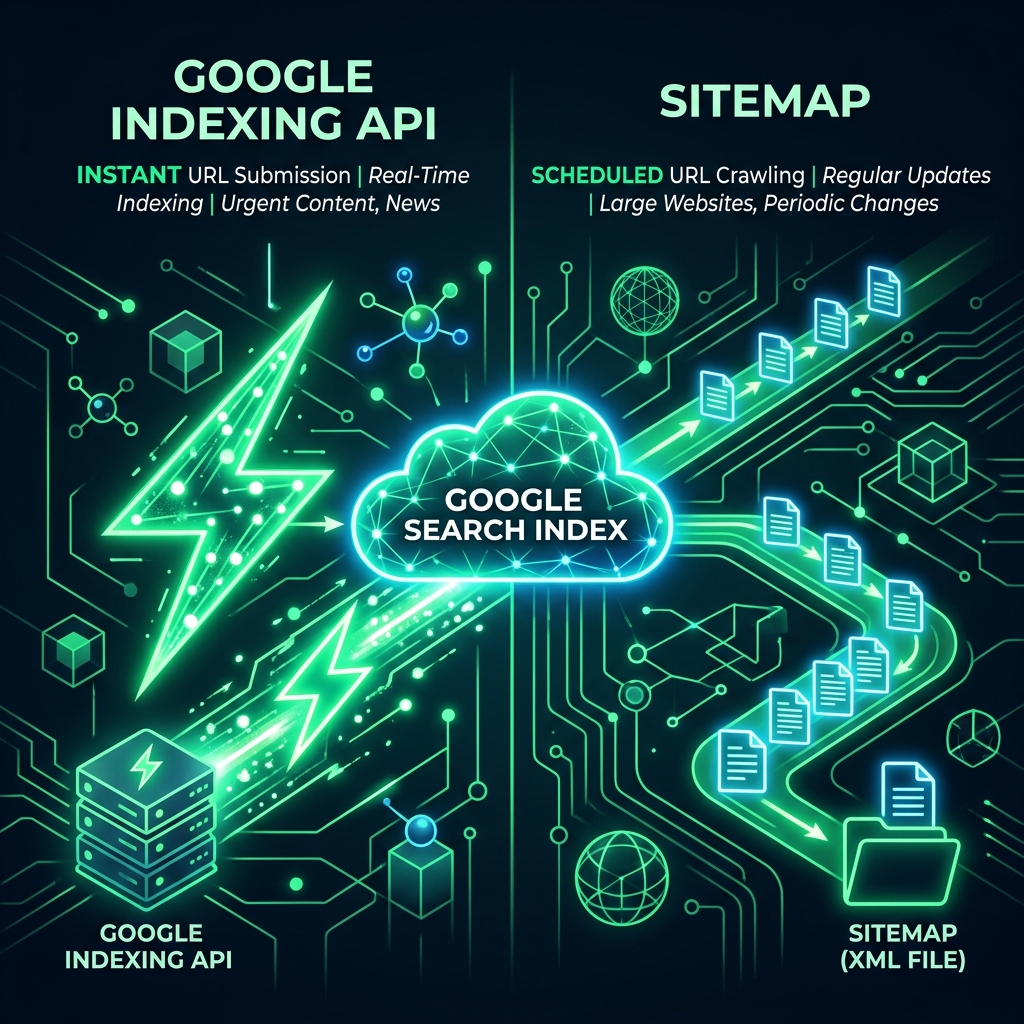
How sitemap.xml works
Sitemap.xml is an XML file with a list of your site's URLs. You place it on the server, notify Google, and wait.
The process looks like this:
- You publish a page and update the sitemap.
- Googlebot checks the sitemap on a schedule.
- Googlebot puts new URLs in the crawl queue.
- After some time, it crawls the pages.
- After crawling, it decides whether to add them to the index.
The key word here is "decides". Googlebot has the freedom to ignore the sitemap.
How Google Indexing API works
Google Indexing API is an official Google API that allows you to directly notify the search engine about new pages.
The process looks like this:
- You publish a page.
- You send a POST request to the API with the page URL.
- Google puts the URL in the priority crawl queue.
- Googlebot crawls the page within minutes or hours.
- The page appears in the index — usually within a few hours.
According to SEO specialists using the Indexing API: 80–95% of URLs are indexed within 24 hours.
Detailed Comparison
| Criterion | Sitemap.xml | Indexing API |
|---|---|---|
| Indexing Speed | From 3 days to several months | From a few hours to a day |
| Control | Minimal — Google decides | High — you initiate crawling |
| Setup Complexity | Very simple — one XML file | Medium — Service Account required |
| Cost | Free | Free (with limits) |
| Limits | Max 50,000 URLs per sitemap | 200 requests per day per site |
| Content Types | Any pages | Officially only JobPosting and BroadcastEvent, but works for all in practice |
| Effectiveness for large sites | Low — limited crawl budget | High — priority queue |
| Removal from index | Only via Search Console | URL_DELETED request |
| Support | Official, stable | Official, actively developed |
When sitemap.xml is enough
Sitemap.xml is a sufficient solution if:
- Your site is small (up to 100–200 pages) and established.
- Content is updated rarely — once a week or less.
- SEO is not a priority, no urgency.
- The site has a high crawl budget.
- You lack technical resources to set up the API.
When you need Google Indexing API
The API becomes a necessity if:
- E-commerce — new products must appear in search quickly.
- News site — content freshness is critical.
- Large site — thousands of pages, crawl budget isn't enough.
- Frequent updates — prices, stock availability.
- New site — need to quickly build an indexed base.
- After redesign — massively re-index updated pages.
IndexFast automates work with Indexing API — no coding needed.
Optimal strategy: combine both methods
The most effective approach is to use both sitemap and API.
Your sitemap.xml — for general site coverage.
Google Indexing API — for new and updated pages.
By default, Google gives 200 requests per day. You can request more via Google Cloud Console.
How to set up Google Indexing API
Option 1: Manually via Google Cloud Console
- Create a project in Google Cloud Console.
- Enable Google Indexing API.
- Create a Service Account and download the JSON key.
- Add the Service Account email as site owner in Search Console.
- Send POST requests to
https://indexing.googleapis.com/v3/urlNotifications:publish
Option 2: Via IndexFast (automatically)
- Register with IndexFast.
- Add your site and paste the Service Account JSON key.
- Click "Start" — IndexFast will send all URLs from the sitemap.
- View results in real-time logs.
Conclusion
Sitemap.xml is the baseline for any site. Google Indexing API is for those who value speed and control.
If your business depends on search visibility, don't wait for Googlebot. Send URLs via API today.